
Author: Tim Higgins
Review Date: 7/3/2001
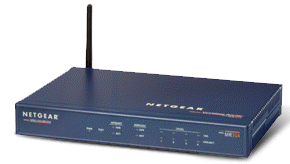
Model: MR314
| Pros: | – Supports 64 & 128bit WEP – Keyword content filtering with scheduling – Email-able logs – MAC address association control |
| Cons : | – 50% throughput decrease with WEP enabled – Can’t attach external “booster” antenna – No port filtering |
| Review Updates9/1/01 – 3.26 firmware adds passphrase WEP key generation and MAC address association control. Also fixes ORiNOCO WEP bug. |
The Stats |
Check this page for a summary of the this product’s wireless capabilities and this page for its routing features. |
The Basics |
|
Introduction |
NETGEAR continues to crank out new routers based on the RP114 router platform (which is based on the popular RT311 and RT314). This time, they’ve added an 802.11b Access point, so let’s see how it stacks up… |
Feature Highlights |
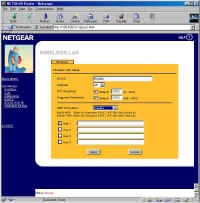
The RP114 review describes the routing features of the MR314, so I’ll cover the wireless features in this review. The MR314’s radio is an Intersil PRISM II based, modified MA401 PC card, plugged into a connector on the circuit board, but completely enclosed by the MR314’s cabinet. The MA401 has a mini coax cable hard-wired to it and the monopole antenna that’s mounted on the rear of the router chassis. (The cable comes out of the rear of the plastic antenna housing of the MA401 via a small hole.) The MR314’s wireless controls (shown below) are typical, with the ability to set the channel and ESSID. I was surprised to see the ability to set RTS and Fragment Threshold settings. I’ve sometimes seen these controls on 802.11b clients, but not on Access Points. The on-line Help has good definitions, but doesn’t explain when you’d want to mess with them. I recommend leaving the default settings unless you know what you’re doing.
Both 64 and 128 bit WEP encryption is supported, with the ability to set four Hexadecimal keys in either mode (see this page if you need help with WEP). 9/1/01 – 3.26 firmware adds passphrase WEP key generation. While running through my testing, I found that when the MR314’s WEP was disabled, my ORiNOCO Gold client card could connect, regardless of its WEP settings! Although enabling WEP on the MR314 prevented connection unless the client had matching WEP settings and key, this behavior wasn’t correct. NETGEAR has verified the problem and is working on a fix! 9/1/01 Fixed in 3.26 update. As with previous ZyXEL/ZyNos based products, you won’t find the ability to set Access Controls (Port filtering) in the browser admin interface. The MR314, however, follows in the RO318‘s footsteps and has dropped the Telnet-based ZyXEL “SMT” console. This means you won’t be able to control Port Filtering until NETGEAR releases a firmware update. This probably isn’t an issue for many users, since configuring port filters in NETGEAR routers up until now has been an exercise left for networking veterans, or more adventurous newbies! Tip: You can still Telnet into the MR314, where you will be greeted by a “RAS>” prompt once you login. This is the ZyNos “CI” (command interpreter) interface, which you can find a reference for on this page. Tip: Update 9/1/01 Although general Access Controls are still missing, the 3.26 firmware update adds MAC address association controls to the wireless portion of the router. This allows you to restrict network access to wireless clients with specific MAC addresses, a desirable security feature. |
Router performance |
I ran the Qcheck suite to test routing performance, and got these results:
Comment: Comparing these results with the RP114’s shows definite differences, especially on the WAN-LAN tests. Although the MR314 is slower, there’s still plenty of speed for most broadband applications, with the only possible problem being the relatively poor WAN-LAN UDP streaming performance. If you’re planning on watching streaming videos, you might encounter problems and have to switch to a slower stream rate. | |||||||||||||||||||
Wireless Performance |
I used an ORiNOCO Gold PC card as the wireless test partner. Here are the results:
Comments: Range performance was average, with the signal in Condition 4 having some fluctuation. This resulted in some fallback to the 5.5Mbps rate. Enabling 40 or 128 bit WEP produced a 50% throughput degradation. | ||||||||||||||||||||||||||||||||||
Summary |
NETGEAR hasn’t broken any new ground with the MR314, although it has some nice features that similar products lack, such as 4 10/100 Ethernet ports (vs. the usual three), keyword-based Web site filtering, and simple traffic logging. On the other hand, it doesn’t include a print server, access controls won’t be available until NETGEAR adds them via firmware update, and the pricing is right with the rest of the pack. |