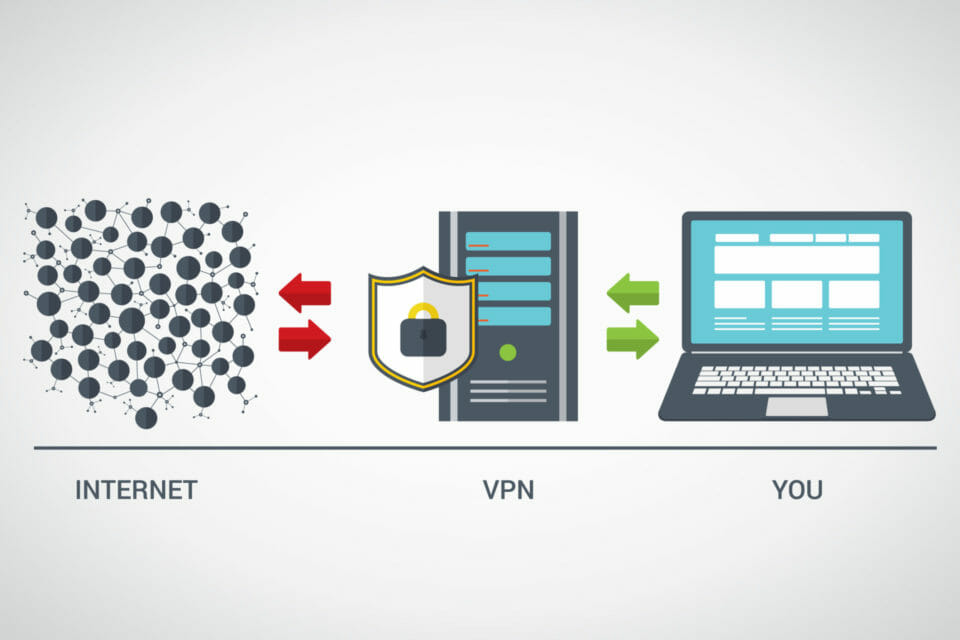
A browser test displays an unfamiliar public address, while another page shows the expected VPN exit address. It is tempting to choose one result as correct and dismiss the other. Before doing that, identify the type of address and the operation that produced it. Two observations can concern different paths without either being a complete description of the connection.
When you check WebRTC IP exposure with IPDrop, compare the reported public candidates with the current connection observation and keep private addresses distinct. The tool provides browser-side evidence. It does not certify every IPv4 or IPv6 route used by the operating system or by other applications.
Give The Address Family A Place In The Record
IPv4 and IPv6 are different versions of the Internet Protocol. An IPv6 address is not simply a longer rendering of the IPv4 address displayed by another service. A connection can make the two families available under different conditions, and a diagnostic report needs to preserve that distinction.
The IPv6 specification documents the protocol rather than the policy of a particular VPN. Whether a provider routes, limits or otherwise handles IPv6 is a question for that provider and the exact configuration. An observed IPv4 exit does not answer it by itself.
Record the address family alongside the browser, network and time. If the report does not establish which family a result belongs to, keep that uncertainty visible. Do not silently relabel the number to make two screenshots agree.
Identify What Produced Each Observation
An ordinary web request and WebRTC candidate gathering are not identical operations. WebRTC can gather candidates while attempting to establish a real-time connection. Browser policy and network routing affect which observations are available.
The WebRTC IP-address handling requirements discuss the privacy and connectivity trade-offs involved. They do not support a blanket claim that WebRTC ignores every VPN, or that every displayed address is a leak. Those conclusions require more context than the presence of an address in a results panel.
A private address is also different from a publicly reachable address. A relay candidate has a different role again. Preserve the available labels when discussing the result, rather than treating all candidates as interchangeable evidence about the user.
Test A Specific Mismatch, Not A Reassuring Icon
Suppose a VPN application reports that it is connected and a browser observation shows an unexpected address. Keep both facts. The application status tells you what the application reports; the browser result records what that particular check observed. Neither automatically explains the other.
Check the documented IPv6 behaviour, browser-extension scope and any split-routing settings relevant to the setup. Change one relevant condition and repeat the same browser check after the connection has settled. Changing the VPN server, browser profile and network together produces a less useful comparison because it introduces several possible explanations.
Do not disable a protocol merely to obtain a more reassuring screenshot without understanding the consequences for the device and network. Where configuration advice is needed, use the current instructions for the exact product rather than a generic promise that one toggle fixes every exposure.
An Unavailable Check Is Not Evidence Of A Clean Route
If an IPv6 observation is unavailable, that result does not establish why. The connection may not provide the relevant path, the browser may restrict the probe, or the check may have failed. Those possibilities should not be converted into an unqualified pass.
The useful output is a reproducible description: which family was observed, which browser operation produced it, what configuration was expected and whether the discrepancy persisted. Keep the actual address out of a public support post unless disclosure is necessary.
A browser exposure check earns its place by narrowing the investigation. It becomes misleading when one result is expanded into a guarantee about every application and network path on the machine.