A NAS is not the right answer for everyone, even though it often gets recommended as though it were. These systems can be expensive, and much of what they offer is capability a lot of people will never actually use. The appeal of a NAS is essentially your own private cloud storage. If you do not need the cloud part, a Direct-Attached Storage device, or DAS, is frequently the smarter and cheaper choice. Here is why.
What a DAS Actually Is
The name gives away the difference. Where NAS stands for Network-Attached Storage, DAS stands for Direct-Attached Storage. In plain terms, a DAS connects straight to a host computer without passing through a network switch or router. A standard portable external drive technically qualifies, but in practice the term usually refers to multi-bay enclosures that house several hard drives or SSDs, offering NAS-like capacity in a far simpler form.
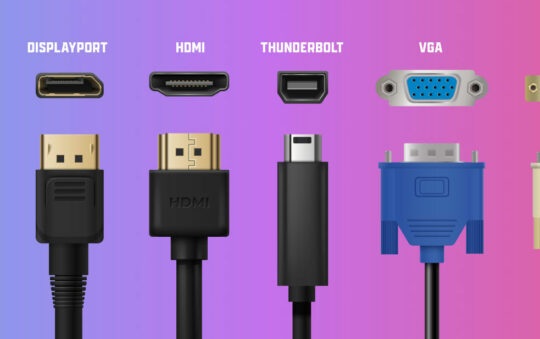
The key distinction is what sits inside. A NAS is a standalone server with its own operating system, processor, and memory. A DAS is passive, leaning entirely on the processing power and file system of the computer it is plugged into. Most units connect over fast interfaces like USB-C, Thunderbolt, or eSATA, and because there is no network hardware in between, the computer treats the DAS exactly like an internal drive. It appears as a local volume, ready to read and write immediately.
That simplicity extends to how you configure it. Depending on the enclosure, you can run the drives as JBOD, where each mounts individually, or in a RAID array to combine performance and redundancy. Either way, there is no IP address to assign, no network settings to tune, and no firmware to keep patched. It behaves as a straightforward extension of your computer rather than a separate device on your network.
Why It Wins For Most People
The strongest argument for a DAS is simplicity. A NAS is not inherently difficult, but a DAS is about as uncomplicated as storage gets, and for most people that alone makes it the better fit. Because it connects over a high-bandwidth interface such as Thunderbolt or USB4, transfer speeds comfortably outpace what a typical home network can manage. A NAS running over standard Gigabit Ethernet tops out at roughly 110 megabytes per second, whereas a Thunderbolt connection has far more headroom to give, limited in practice by the drives inside rather than the link itself.
That difference matters for demanding work. Editing high-resolution 4K or 8K footage, rendering complex 3D assets, or managing enormous photo libraries all depend on throughput and low latency, and a direct connection delivers both in a way a networked drive struggles to match. It is worth noting that a NAS fitted with 2.5GbE or 10GbE networking narrows this gap, but that hardware costs considerably more and asks more of the rest of your network to boot.
The absence of a network layer also removes a whole category of headaches. There are no routers to configure, no switches to upgrade, and no risk of Wi-Fi interference dragging your speeds down. Running a NAS effectively turns you into a part-time system administrator, managing users, permissions, security updates, and network protocols. A DAS asks almost nothing of you. Once it is plugged in, the operating system handles mounting, permissions, and the file structure automatically, and it largely looks after itself from there.
When a NAS is Still The Right Tool
None of this makes a DAS the universal answer, because the thing it lacks is the very thing a NAS is built around. With no network component, a DAS is not designed for sharing. It cannot easily serve files to several people at once, and it cannot stream media to your TV or phone when the host computer is switched off. Those are not flaws so much as the natural limits of the design.
So if your goal is a Plex media server humming away around the clock, or wirelessly backing up several laptops across a household, a NAS is the superior choice and it is not particularly close. There is also an important caveat that applies to both: while many DAS enclosures support RAID for redundancy, RAID is not a backup. It protects against a drive failing, not against deletion, corruption, or theft, so you still need a proper backup strategy, whether that is a cloud service or a separate drive kept elsewhere.
How To Decide
The choice comes down to how you work and how you need to reach your data. If you are a solo creative professional, a video editor, or a gamer looking to expand a Steam library, a DAS is usually the most logical and cost-effective buy. The cost per terabyte tends to be lower because you are paying only for the enclosure and the drives, not for a specialised motherboard, processor, and software licence bundled on top.
For anyone working mainly from a single machine who wants the fastest possible access to large files without network latency in the way, the direct connection feels indistinguishable from an internal drive. If your priorities are raw speed, simplicity, and single-user access, the DAS is the correct hardware. If you need always-on availability, collaboration, or storage that serves the whole household, that is where a NAS earns its keep. Match the tool to the job, and most people will find the simpler, cheaper option is the one they actually needed.